Accessing your Unofficial Transcript
Official vs. Unofficial Transcripts
- Official transcripts are authenticated and printed on security paper or in encrypted PDF files. Electronic or paper copies can be ordered through Parchment.
- Unofficial transcripts are available without charge to currently active students through the Student Center in SIS. These are not considered authenticated by the University and may not meet external requirements for transfer of credit or proof of enrollment. Former students do not have access to unofficial transcripts and must place an order for an official transcript.
- Log in to SIS.
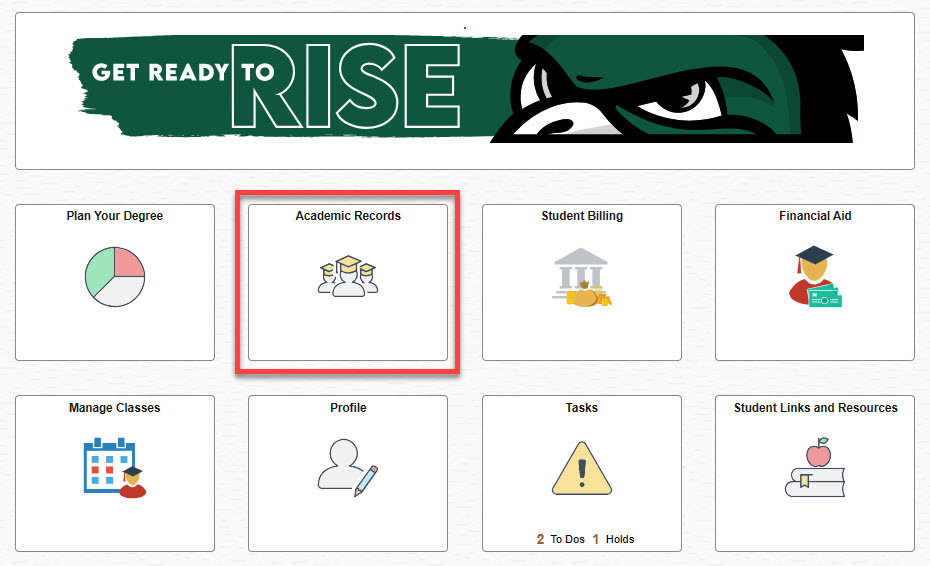
- Select the Academic Records tile.
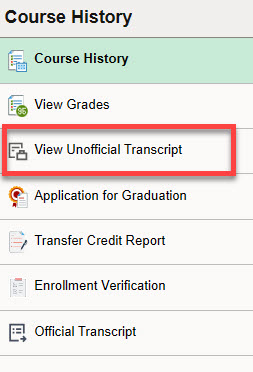
- Select View Unofficial Transcript from the navigation bar on the left side of the page.
- Click the Submit button in the top right corner.
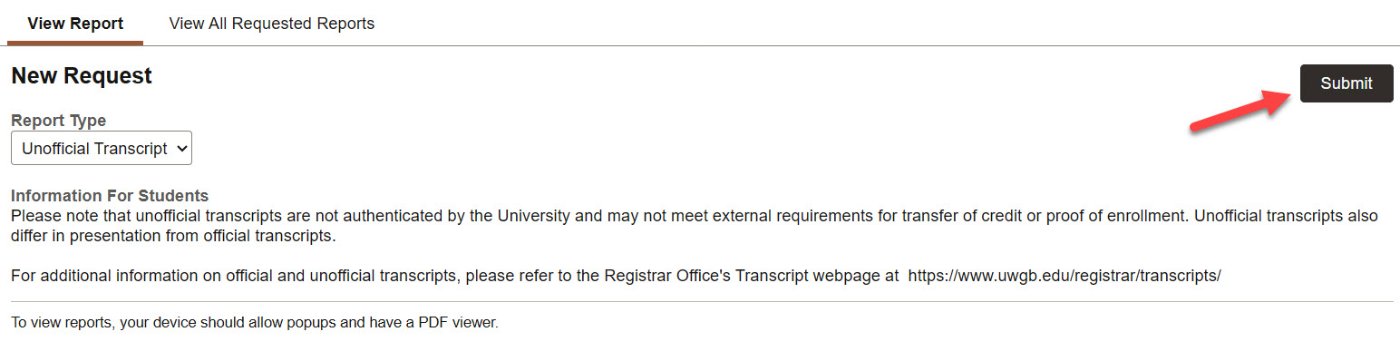
- Your unofficial transcript will open in a new tab as an Adobe PDF. From there, you can download or print it. Please note that your device must allow popups and have a PDF viewer.

This is a short headline
This component is perfect for helping reassure the reader (e.g., a contact us or help section) or for highlighting a person (e.g., a professor, staff member, or point of contact)