Student Information System Help
Faculty & Staff
Select a link below for help with that topic. If you need help with something not covered here, contact the Student Services Center at ssc@uwgb.edu.

This webpage is currently undergoing significant updates. If you have any questions about using SIS to perform student-record-specific functions, please contact the Registrar's Office at registrar@uwgb.edu.
What can we help with?
- Sending an Email Notification
- Entering, Editing, and Submitting Grades
- Accessing a Teaching Schedule (below)
How can I view my teaching schedule?
From the Student Center, click on Search for Classes.

OR
From the Faculty Center, click Search.

Verify that you are searching for the correct academic term you want. To search for a faculty member's schedule, click on the Advanced Search button.
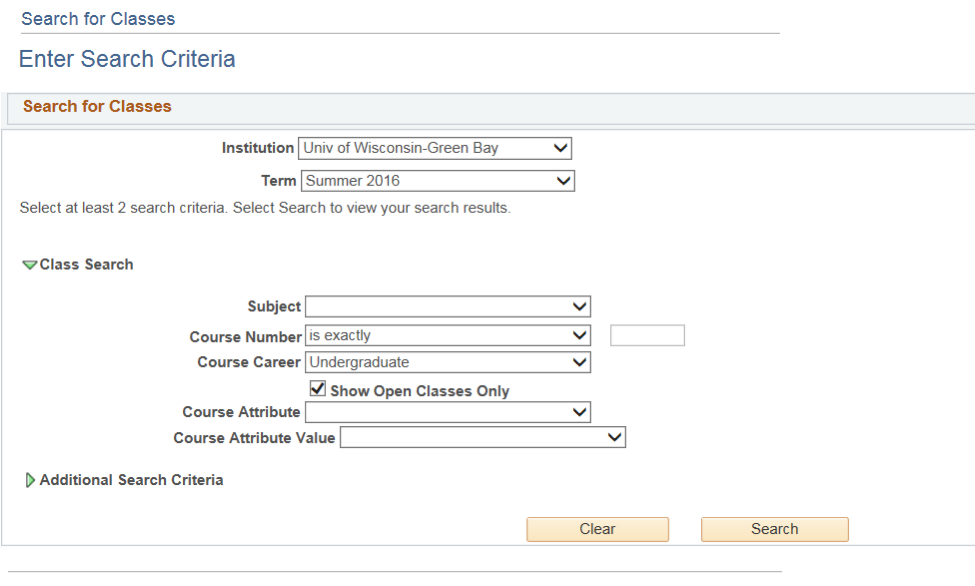
The Advanced Search screen needs at least two criteria filled in. Most faculty find it easiest to select Course Career and then enter the Instructor's Last Name. You can always add criteria to narrow the search.
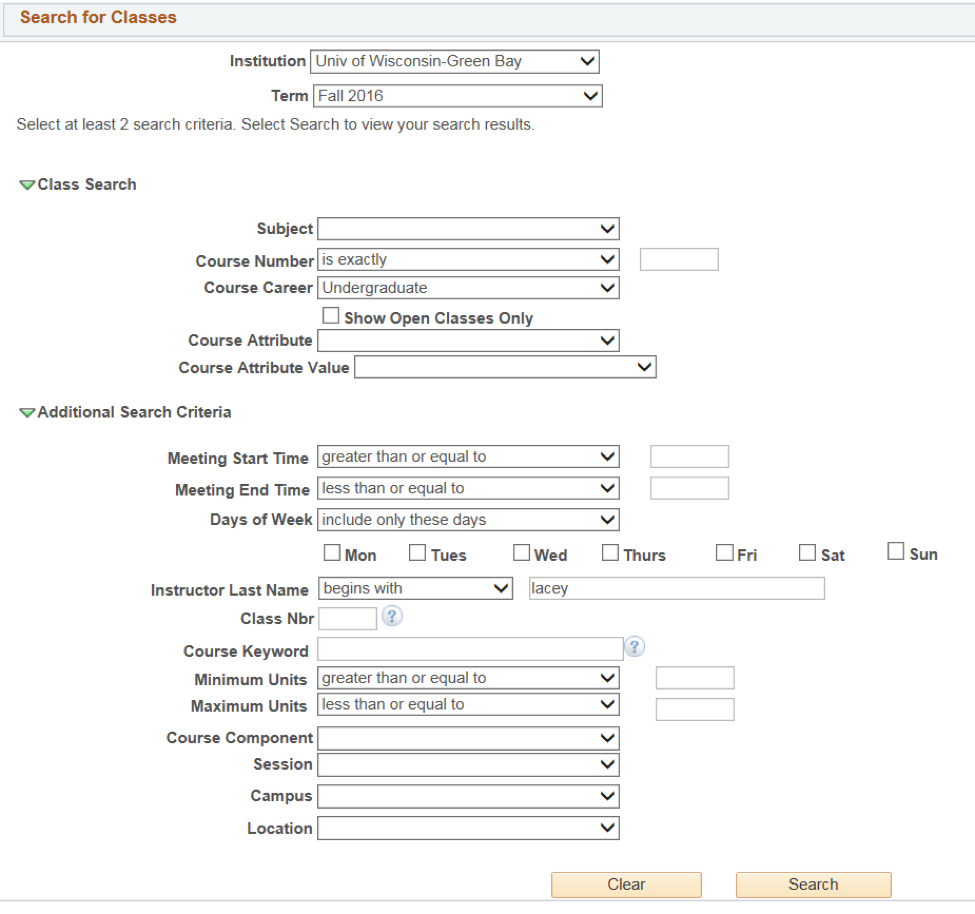
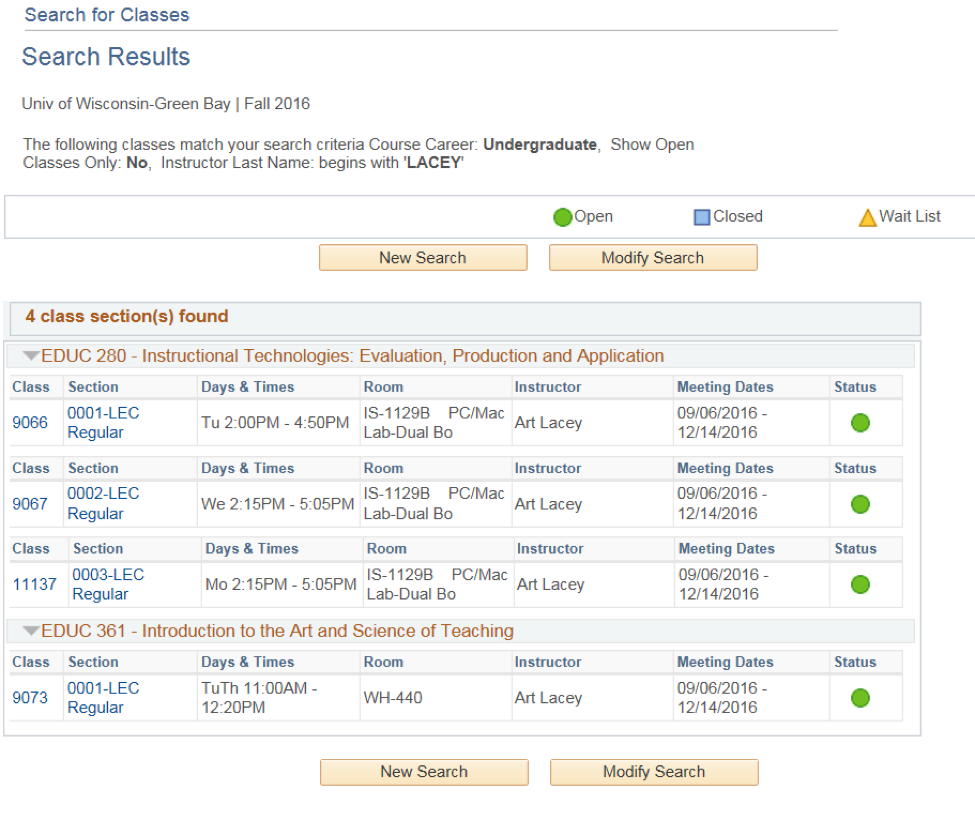
- To see additional schedules, simply change the criteria within this advanced search form and click on Search.