Student Information System
academic Records
Select a link below for help with that topic. If you need help with something not covered here, contact the Student Services Center at ssc@uwgb.edu.

**Please note that this webpage is currently undergoing significant updates. If you have any questions about using SIS, please contact the Registrar's Office at registrar@uwgb.edu**
- Updating your Personal Information
- Address
- Email Address
- Name
- Phone Number
- Accessing your Unofficial Transcript (below)
Accessing your Unofficial Transcript
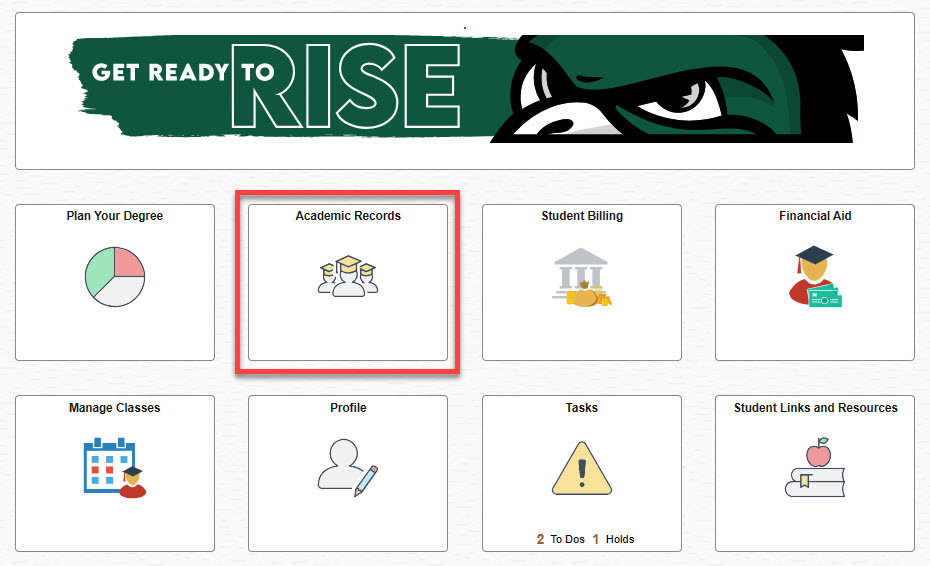
Students who are currently enrolled may obtain copies of their unofficial transcript through the Academic Records tile on your SIS Fluid homepage. Detailed instructions are provided below. Former students will need to place an order for an official transcript.
- Log in to SIS.
- Select the Academic Records tile.
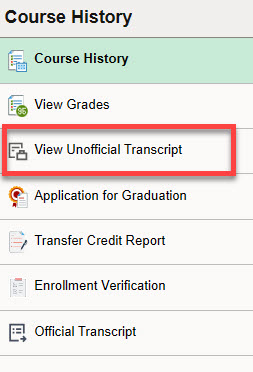
- Select View Unofficial Transcript from the navigation bar on the left side of the page.
- Click the Submit button in the top right corner.
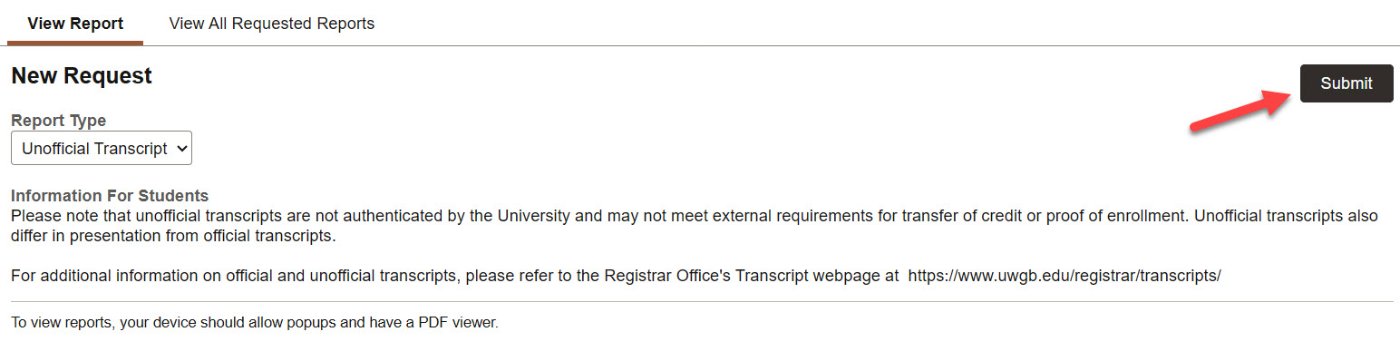
- Your unofficial transcript will open in a new tab as an Adobe PDF. From there, you can download or print it. Please note that your device must allow popups and have a PDF viewer.